Question

Exporting comments with specific hashtags

  • April 7, 2023
  • 8 replies
  • 249 views

Forum|alt.badge.img

Is it possible to export comments from a call that have specific hashtags? Even better, is it possible to set up some type of automation to export those comments? For example, as I review a call I might makes comments that start with a hashtag with a name like #currentstate or #usecase. After I finish reviewing the call, I’d like to export those comments out to a file or into another system. 
8 replies

Molly Kipnis
Forum|alt.badge.img+2

Hi @Paul Urfi! This is a great question. I’m working with our internal team on finding a solution for this. Thank you for your patience! 


Forum|alt.badge.img
  • Author
  • Community Newbie
  • April 11, 2023

Thank you @Molly Kipnis, this is a killer use case for us. 


Molly Kipnis
Forum|alt.badge.img+2

Hey @Paul Urfi! Promise I didn’t forget about this. 


I consulted with a few folks internally, and here’s what they said: 


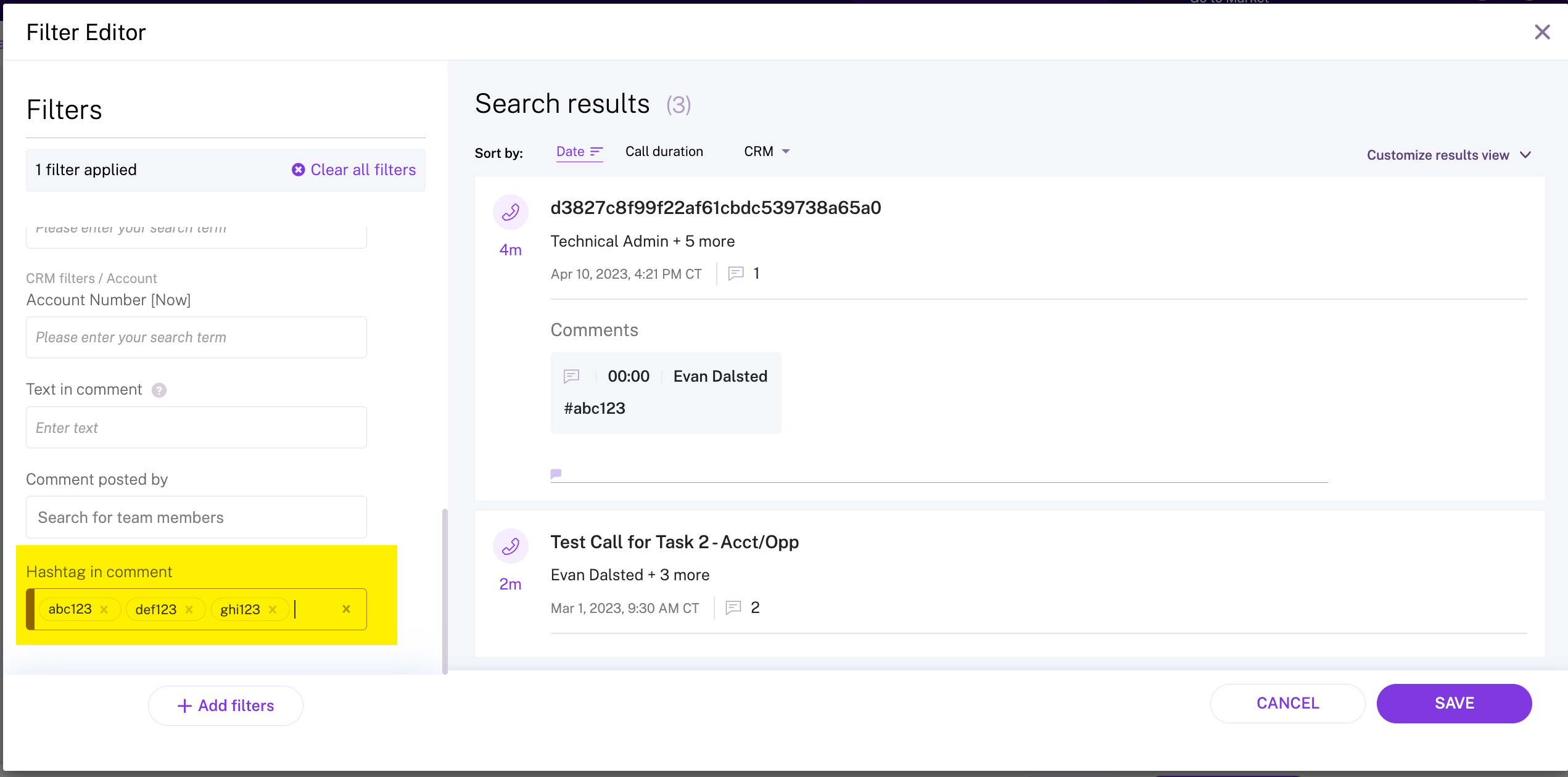
A simple solution would be to build Streams in Gong based on the "hashtag in comment" filter.


You could have the stream send weekly/daily/or immediate email notifications to one or many Gong users.*

Alternatively, if you use Slack, you could have the notifications posted in a specific Slack channel.

Lastly, you could also create a Saved Search FIlter using the same "hashtag in comment" filter, then export the calls to CSV and do reporting on the dataset. For this, if the hashtag is important to recall, then you'd need to create 1 saved search filter per hashtag and then as you're exporting the related calls to CSV you would then know which CSV relates to which hashtag.

*You may want different streams. One per hashtag. That way, the stream is specific to one type of hashtag, and if you use Slack you can produce a rolling stream of hashtag specific notifications into different Slack channels that represent the hashtag itself. 


Tagging @Evan Dalsted here since this was his suggestion.


Please let us know what you think and if you have any follow up questions!


  • Community Newbie
  • May 15, 2026

@Molly Kipnis, Is there a way to export all comments from a filtered set of calls, not just those with #s?  My VP wants to see all the comments given to each rep over time so he can see if the same comments are being given, meaning is the rep learning from the feedback.


Nisha Baxi
  • Community Manager
  • May 16, 2026

There’s no one-click way in the Gong UI to export all comment text from a filtered set of calls (only stats and counts).

To get full comment bodies you need either:

  • Gong Data Cloud: use the COMMENTS table (joined to calls and users) to export all public comments for those filtered calls.
  • Gong API: script pulling calls that match your filters and extract their public comments into a file or downstream system.

Arthur Lee
Forum|alt.badge.img
  • Enthusiast
  • May 17, 2026

@Molly Kipnis if you want to use the API, I can share a script that can do this.


Nisha Baxi
  • Community Manager
  • May 19, 2026

Please feel free to share here or in another post ​@Arthur Lee! Also curious if you are using AI builder at all! Would love to see a post on that! 


Arthur Lee
Forum|alt.badge.img
  • Enthusiast
  • May 19, 2026

I can’t upload python script unfortunately so I had to zip it up. This would require you to run a python script.

You just need to add your Gong keys and Gong base url. I did a limited test however I don’t have a full Gong instance to test.

I am a consultant who is help a client with their data but haven’t touched AI builder with real data yet.