Question

Exporting list of people who have opened an email

  • February 3, 2025
  • 6 replies
  • 93 views

Forum|alt.badge.img

I’m looking to export a list of all contacts who’ve opened the first email in a particular flow in order to do a more curated outreach. I see you can filter the email status to opened to see these contacts, but I don’t see a way to easily export this list to go through. 

6 replies

Molly Kipnis
Forum|alt.badge.img+2
  • Community Manager
  • February 6, 2025

Hey there ​@Josh Chiero! Tagging in ​@Carly Lohnberg for some guidance here. Thanks for your question and your patience!


Forum|alt.badge.img
  • Community Newbie
  • October 22, 2025

Hi ​@Molly Kipnis ! I’m in the exact same boat as Josh- Is this possible? 

Thank you!


Molly Kipnis
Forum|alt.badge.img+2
  • Community Manager
  • October 28, 2025

Hi ​@Erin Priddle and ​@Josh Chiero! I found this for you from our Help Center docs (here and here):

Exporting flow data for Gong Engage

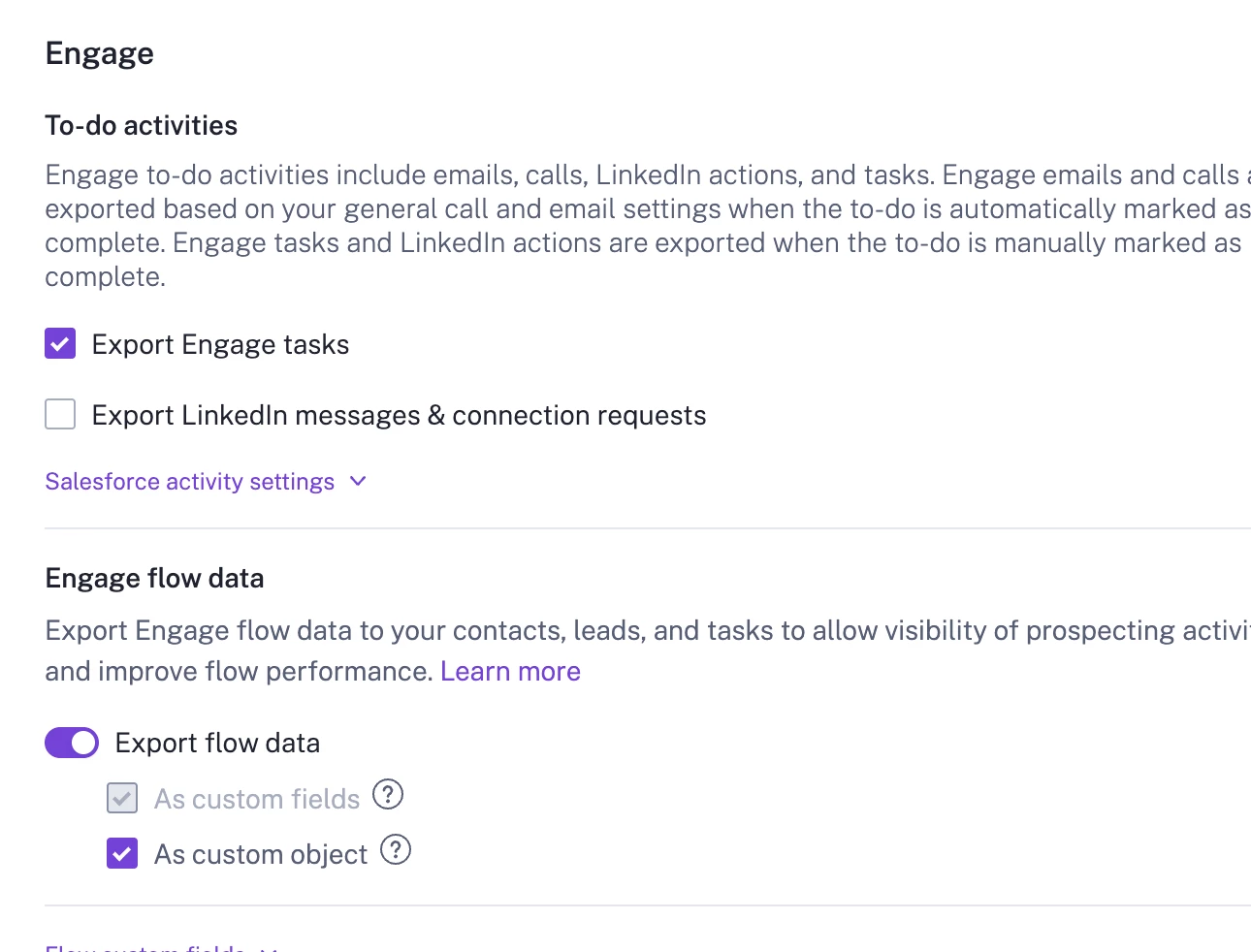
  1. Access CRM Settings: Navigate to the Admin Center and go to Settings > CRM > Your CRM (such as HubSpot or Salesforce).

  2. Enable Export Flow Fields: Scroll down to the Engage flow data section. Ensure that the Export flow fields option is selected. This will allow you to extract Engage flow data, including details of contacts added to flows and their step information.

  3. Filter Data: Customize your export settings to include specific fields, such as:

    • Flow name
    • Step number
    • Interaction type (e.g., "Email opened")
    • Contact details (e.g., Contact ID or Email Address)
  4. Analyze the Data: Once the export is enabled:

    • Download the Engage flow logs or analytics as a CSV file. This will typically include "email open" data tied to the relevant contacts based on their interaction records.

Does this help? Let me know if I need to do more digging. ​@Carly Lohnberg, do you have any thoughts here? 


Carly Lohnberg
Forum|alt.badge.img
  • Community Manager
  • October 28, 2025

Yes to what Molly said above!  You can find the Emails CSV from the export.  That document will have the prospect name as well as a column that indicates if the email was opened.


Forum|alt.badge.img
  • Community Newbie
  • January 6, 2026

How can I download the Engage flow logs or analytics as a CSV file? I have ensured I have enabled the settings but I’m not able to find a place to download.


Nisha Baxi
  • Community Manager
  • January 8, 2026

@Ana Flores 

 does this help you? Let me know if it doesn’t!

Export Functionality in Engage Analytics: If you have an Engage license, specific roles (like tech or business admin or manager) allow you to export Engage Analytics data. The exported file is emailed as a zip containing data such as Calls, Emails, Meetings, and Flow Steps.•    Role and Permissions: Check your assigned role. Export permissions might require you to be a business or tech admin. If these roles aren't assigned, it may restrict your access to exporting options.•    Confirm Custom Field Integration Configurations: Proper custom field setups in CRM could also influence how Engage data appears and integrates for exporting workflows.