
Question

Add variable for CC, BCC and To

  • May 29, 2026
  • 5 replies
  • 17 views

Forum|alt.badge.img

I would like to use Gong to send some campaigns to my contacts.

In the emails I am sending, I would like to add a variable CC, BCC or even from options, so that the email template picks up the variable dynamically rather than having this fixed.


For eg, I would like for the email to CC the Owner of the account, or use any of the fields coming from the CRM (Eg, the CSM). Is there a way to add this?

I have seen this easily tackled in other products, but Gong seems to only support fixed values rather than dynamic ones.

For the To, I would like to be able to trigger emails on behalf of my team, but there is no way that I can update where an email is coming from.

There seems to be little use for email campaigns given the few configuration options we have.
5 replies

Forum|alt.badge.img+1
  • Community Manager
  • May 30, 2026

@Paula Lizardo Hello! Unfortunately, dynamic variables like “Owner of the account”, are not supported today. The one exception is the built-in “My manager” option, which can be used in recipient fields. 

A couple thoughts on workarounds: 

  • If the sender should vary by owner, use a company flow with automation and set the flow assignee from the relevant CRM field. That assignee also becomes the sender for flow emails.

  • If you’re starting flows manually, add people to the flow on behalf of the correct team member so emails send from that person.

You can also submit a feature request from the Community home page for our product team can review. Have a wonderful weekend!


Forum|alt.badge.img
  • Author
  • Community Newbie
  • June 1, 2026

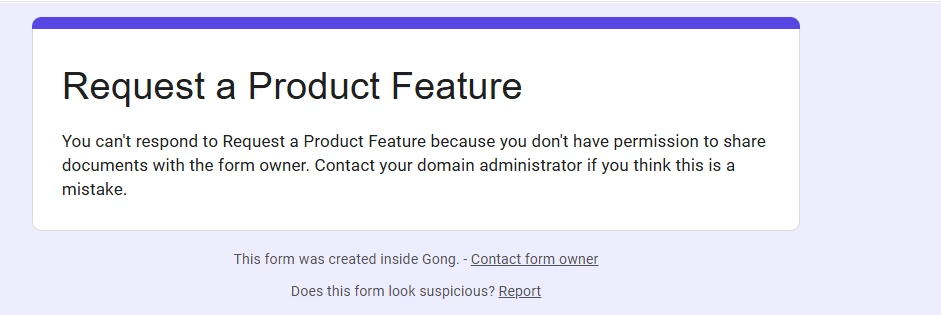
Thanks! I ma getting an error when trying to submit this.

How do I fix this?


Forum|alt.badge.img+1
  • Community Manager
  • June 1, 2026

@Paula Lizardo Can you email your submission (same questions as in the form) to community@gong.io (you can CC me, dana.chung@gong.io, and our Head of Community, nisha.baxi@gong.io)? We’ll make sure your response gets to the Product team.

Nisha owns the form but is out of office --  I’ll make sure to let her know about the error once she’s back for any future submissions. Thank you for your patience! 


Forum|alt.badge.img
  • Author
  • Community Newbie
  • June 1, 2026

HI ​@Dana Chung , I cannot even access the questions on the form :) - Could you let me know what the questions are so as to submit the responses?


Forum|alt.badge.img+1
  • Community Manager
  • June 1, 2026

@Paula Lizardo Oh no! Yes, of course. Here are the questions: 

  1. Your name, email, company name, and your title at your company.
  2. What feature are you requesting? Please be as detailed as you'd like.
  3. Why is this feature important? Please be as detailed as you'd like.
  4. (optional) Supporting screenshots up to 1GB